
















The Controversy: The “Binder” Myth Is Putting You at Risk
If you search for how to organize medical records, you’ll find endless “Pinterest-worthy” guides telling you to buy a three-ring binder, a set of colorful tabs, and a label maker.
Here’s the no-BS truth: a physical binder is a healthcare liability.
In an emergency, you aren’t grabbing a four-pound binder. When a specialist asks for your 2019 pathology report, you aren’t flipping through tabs in the waiting room. Paper is static, unsearchable, and far too easy to lose at the exact moment you need it. The status quo says “organizing” means “storing.” We think organizing means making your data work for you. If your records aren’t digital, searchable, and in your pocket, they aren’t organized, they’re just archived.
The Problem: The Paperwork Avalanche
The average patient managing a chronic condition generates hundreds of pages of documentation every year: lab results, imaging reports, discharge summaries, and insurance “Explanation of Benefits” statements that seem designed to confuse. Multiply that across a family, kids, aging parents, a spouse, and the pile becomes unmanageable fast.
When that data is scattered across three hospital portals and a kitchen drawer, you lose your agency as a patient. You become a passive participant in your own care because you can’t see the big picture of your health trends. And because you’re not a clinician, it’s hard to know which of those documents actually matters to the next doctor you see.
The Agitation: The “Portal” Trap
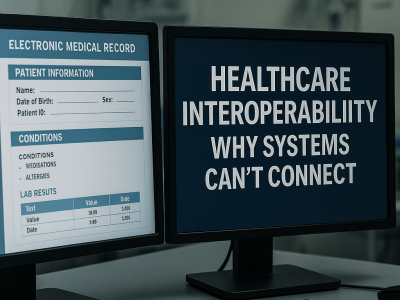
The healthcare industry loves to talk about “patient portals.” But let’s be honest: portals are built for hospitals, not for you. They don’t talk to one another. Hospital A’s portal won’t show you Hospital B’s labs, and neither one shows the urgent-care visit from your trip last summer.
That fragmentation is exactly where medical errors happen. It’s where you pay for duplicate tests because “we couldn’t find the results from the other clinic.” It’s where your story falls through the digital cracks. Here’s how the two approaches actually compare:
| Scenario | Three-Ring Binder | My Medical Records (Digital) |
| Finding a result fast | Flip through tabs and hope | Search by keyword in seconds |
| Access in an emergency | Only if you remembered to bring it | On your phone, anywhere |
| Records from multiple providers | Filed by hand, usually incomplete | Pulled together automatically via Epic MyChart |
| Understanding the content | You’re on your own | Plain-English AI summaries and insights |
| Sharing with a new doctor | Photocopy and hand it over | Secure share in a few taps |
| If it’s lost or damaged | Gone for good | Backed up on U.S.-based servers |
| Privacy | As safe as your desk drawer | Encrypted, never sold or shared |
The Solution: A Digital Personal Health Record (PHR)
Real personal health record organization isn’t about filing, it’s about centralization and translation. Here’s how to organize your medical records for the way care actually works today.
- Stop printing, start exporting. After every appointment, ask for the digital PDF instead of paper. When you do get paper, an after-visit summary, a referral, a bill, snap a photo of it with your phone, and it’s saved. You can capture more than documents, too: photograph your prescription bottles, a rash or wound, or a device label so the detail isn’t lost.
- Connect your portals automatically. This is where most “organize your records” advice stops short. Instead of logging into five different systems, connect your Epic MyChart account once and let My Medical Records pull your history in for you. Because thousands of U.S. health systems run on Epic, a single MyChart connection can consolidate records from many of the hospitals and clinics you’ve already visited. For a provider that isn’t on Epic, open that portal’s Document Center (sometimes labeled “Download My Record” or shown as a health summary), download the file, and upload it, it lands in the same place as everything else.
- Make it searchable. Storage isn’t organization. Your system should let you search “Vitamin D” and see every result from the last five years in seconds, laid out on a timeline. If you can’t search it, it isn’t organized.
The point isn’t to become your own medical librarian. It’s to get everything into one place once, then let the software keep it current and make sense of it for you.
The Myth-Buster: “AI Is Too Risky for My Private Data”
A common worry is that letting AI touch your records is “unsafe.”
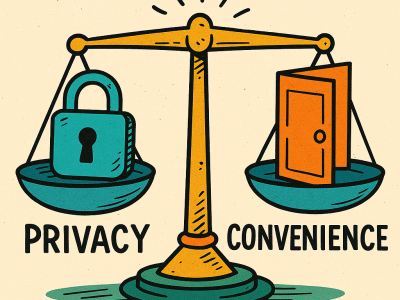
The irony? Paper records in a file cabinet, or files dumped into an unencrypted “free” cloud folder, are far more exposed. At My Medical Records, privacy is the product, not an afterthought:
- No selling, no sharing. We never sell or share your personal information with third parties, unlike some competitors whose fine print quietly allows it.
- U.S.-based servers. Your records are stored only on servers in the United States, protected by national privacy and data-security laws.
- Independently owned. We have no venture capital or private-equity backers pressuring us to monetize your data.
- Never used to train big tech. Your records are not fed into outside models to build someone else’s product.
We use AI as a translator, not a data grab. It doesn’t just store your records; it reads them, decodes the medical jargon into plain English, and surfaces trends across dozens of documents that a human eye would easily miss, through summaries, timelines, and health insights you can actually understand.
Your 15-Minute “Data Rescue” Plan
Don’t wait for a medical crisis to get organized. Here’s how to do it today with My Medical Records:
- The “Drawer Dump.” Gather every medical paper in your house into one pile. Don’t sort it, just collect it, then snap photos straight into the app.
- Connect Epic MyChart. In My Medical Records, link your MyChart account so the app pulls your history automatically, no manual downloads, no re-typing.
- Upload the rest. Add any PDFs, photos, or files from providers that aren’t on Epic. The app categorizes and decodes them for you.
- Ask a question. Try the AI assistant, “What were my last three cholesterol results?”, and watch your scattered paperwork finally answer back.
Not sure what to gather first? Start here:
| Record type | Where to find it | Why it matters |
| Lab & test results | Portal > Lab Results tab | Spot trends over time, like A1C or cholesterol |
| Imaging & radiology reports | Portal > Imaging tab | Specialists often re-order scans without the report |
| Visit & discharge summaries | Portal > Visit Records | The clinical story of each appointment or hospital stay |
| Current medication list | Portal > Medications | Helps avoid dangerous drug interactions |
| Complete health summary | Portal > Document Center (“Download My Record”) | One master file of your full history |
| Prescriptions, devices, symptoms | App > Snap a photo | Captures everyday detail portals miss |
Stop being a filing clerk and start being a patient advocate. Your data belongs to you, it’s time you actually used it. Start free with My Medical Records.